📈Last 7 days+332 installs — 14% faster than the week before (+292) · 34/day since Sep 29
🏆Among Tools appstop 10% by installs gained this week (758 peers growing)
⭐Rating steady at ★ 4.20 since Sep 29
🛠Updatesactively updated · updated 28 days ago · every ~22 days (2 updates tracked)
Installs since launch
+1,241 installs
· +16 ratings
since Sep 29
Update history
2.4.4Oct 13, 2026 · seen Oct 26, 2026
OS Monitor v2.4.4<br> ● Overall stability improvements<br><br> We value your feedback. Leave feedbacks and reviews if you like the app!<br> We appreciate help with localization.<br> If you'd like to contribute translations or report errors, please email support@ip-tools.app
2.4.2Sep 21, 2026 · seen Sep 29, 2026
OS Monitor v2.4.2<br> ● Overall stability improvements<br><br> We value your feedback. Leave feedbacks and reviews if you like the app!<br> We appreciate help with localization.<br> If you'd like to contribute translations or report errors, please email support@ip-tools.app
OS Monitor: system manager is a tools app by IP Tools Network Utilities with 100,000+ downloads (about 209K estimated). +332 installs in the last 7 days. Rated 4.2 from 1.6K ratings. Released Jul 19, 2019. Install growth, rank history, SDKs and ad networks.
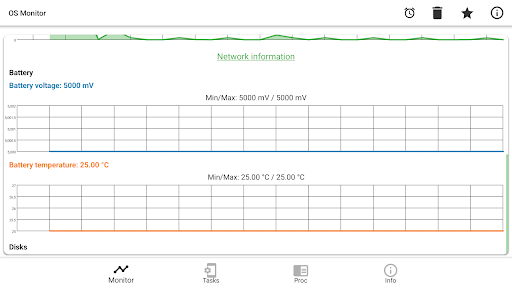
From the store listing: “Lightweight real-time monitor for your Android device. OS Monitor displays live system metrics including system load, RAM usage, network traffic, battery status, and disk I/O — all presented with clear charts and detailed statistics. The app also provides comprehensive device information: hardware specs, display…”