📈Last 7 days+7 installs — 0% faster than the week before (+7) · 1/day since Sep 29
🏆Among Personalization apps bottom 41% by installs gained this week (274 peers growing)
⭐Rating steady at ★ 4.56 since Sep 29
🛠Updatesdormant · updated 813 days ago
Installs since launch
+30 installs
· 0 ratings
since Sep 29
Update history
—Aug 21, 2024 · seen Oct 5, 2026
V1.0.5 Change Log:-<br>1. Watch face updated with Samsung Latest Watch Studio V1.6.10 released on Jul-23-2024 as per Google New Policy To target Android 13 (API level 33) or higher.<br><br>2. Helper Companion app updated for phone play store app.
VARYAug 21, 2024 · seen Sep 29, 2026
V1.0.5 Change Log:-<br>1. Watch face updated with Samsung Latest Watch Studio V1.6.10 released on Jul-23-2024 as per Google New Policy To target Android 13 (API level 33) or higher.<br><br>2. Helper Companion app updated for phone play store app.
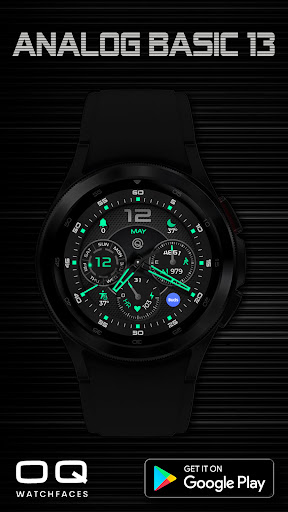
Analog Basic 13 Wear OS 4+ is a personalization app by OQ Watchfaces with 5,000+ downloads (about 7K estimated). +7 installs in the last 7 days. Rated 4.6 from 74 ratings. Released Dec 7, 2022. Install growth, rank history, SDKs and ad networks.
From the store listing: “This watch face for wear OS has following features :-
1. Tap at 3 o clock index square right of step chrono it will open watch dial app.
2. Tap at 9 o clock index square left of date chrono it will open watch messaging app.
3. Tap at OQ Logo it will open watch Settings menu.
4. Tap at 1 o clock index hours square it…”