📈Last 7 days+4 installs — 33% faster than the week before (+3) · 1/day since Sep 29
🏆Among Personalization apps bottom 32% by installs gained this week (182 peers growing)
⭐Rating steady at ★ 4.58 since Sep 29
🛠Updatesdormant · updated 802 days ago
Installs since launch
+23 installs
· 0 ratings
since Sep 29
Update history
—Aug 30, 2024 · seen Oct 5, 2026
V1.0.4 Change Log:-<br>1. Watch face updated with Samsung Latest Watch Studio V1.6.10 released on Jul-23-2024 as per Google New Policy To target Android 13 (API level 33) or higher.<br><br>2. Helper Companion app updated for phone play store app.<br><br>2. Step Chronometer needle rotation corrected now whatever step target is selected in Samsung Health App, The needle will auto adjust accordingly.
VARYAug 30, 2024 · seen Sep 29, 2026
V1.0.4 Change Log:-<br>1. Watch face updated with Samsung Latest Watch Studio V1.6.10 released on Jul-23-2024 as per Google New Policy To target Android 13 (API level 33) or higher.<br><br>2. Helper Companion app updated for phone play store app.<br><br>2. Step Chronometer needle rotation corrected now whatever step target is selected in Samsung Health App, The needle will auto adjust accordingly.
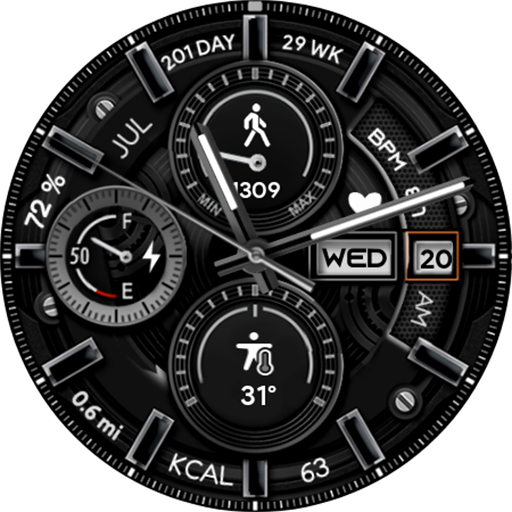
Analog Basic 5 Wear OS 4+ is a personalization app by OQ Watchfaces with 5,000+ downloads (about 5.6K estimated). +4 installs in the last 7 days. Rated 4.6 from 62 ratings. Released Mar 31, 2022. Install growth, rank history, SDKs and ad networks.
From the store listing: “This is a watch face for Wear OS 4+ devices and Following features are available :-
1. Tap on the battery text displayed between 9 and 10 o clock OR in center of analog battery meter to open Smartwatch battery settings menu.
2. Tap on the Day text to open Alarm app.
3. Tap on the Date Text to open phone app.
4. Tap…”