ReleasedSep 2, 2015
Last updateJan 15, 2026
Version26.0.0
Ratings6.9K
Ratings, 7 dayscollecting
Size31 MB
Languages2
Ratings over time
Tracking started recently; the line appears after a few days of data.
Description
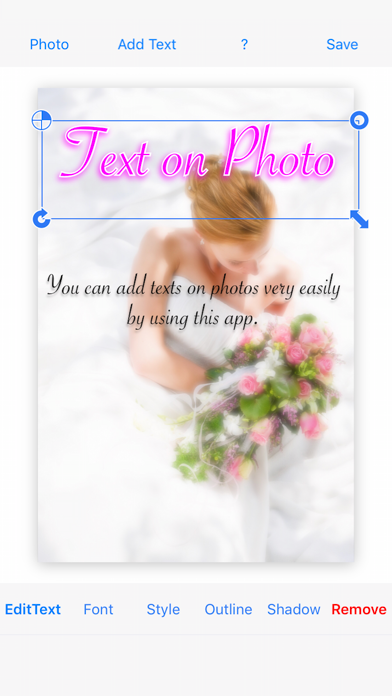
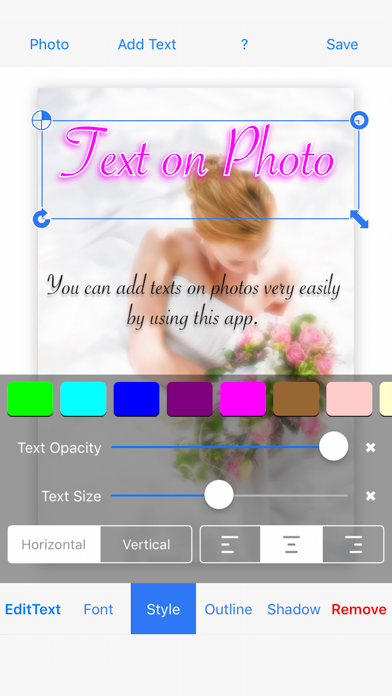
◇ Text on Photo lets you add multiple decorated texts to your photos—quickly and easily.
◇ Features
- Many different fonts
- Add multiple texts on one photo
- Add an outline
- Edit shadow
◇ How to use
1. Tap “Background” to add a photograph
2. Tap “Add Text” to add a text
3. Edit the color/style, font size, and font name
4. Add an outline to the text
5. Resize, rotate, and move the text
(Repeat steps 2–5 as needed)
6. Tap “Save”
More from handyCloset Inc.

Background Eraser 〜 Stickers
handyCloset Inc.
★ 4.7
42K ratingsFreePhoto & Video
Released Oct 7, 2014

PhotoLayers
handyCloset Inc.
★ 4.8
20K ratingsFreePhoto & Video
Released Sep 2, 2015

JPEG-PNG Image file converter
handyCloset Inc.
★ 4.7
17K ratingsFreePhoto & Video
Released Jul 2, 2013

PhotoLayers Pro
handyCloset Inc.
★ 4.8
1.3K ratings$4.99Photo & Video
Released Dec 7, 2011

Background Eraser Pro
handyCloset Inc.
★ 4.8
1.1K ratings$4.99Photo & Video
Released May 18, 2011

Soft Focus Lite 〜beauty selfie
handyCloset Inc.
★ 4.7
903 ratingsFreePhoto & Video
Released Aug 21, 2015

Text on Photo
handyCloset Inc.
★ 4.8
713 ratings$2.99Photo & Video
Released Mar 2, 2012

JPEG,PNG Image file converter
handyCloset Inc.
★ 4.5
574 ratings$2.99Photo & Video
Released Oct 6, 2016

Beautiful ID Photo Creator
handyCloset Inc.
★ 4.7
352 ratingsFreePhoto & Video
Released Apr 16, 2016

Beautiful Blur Photo Creator
handyCloset Inc.
★ 4.6
58 ratingsFreePhoto & Video
Released Apr 30, 2016

Soft Focus Pro 〜beauty selfie
handyCloset Inc.
★ 4.7
55 ratings$2.99Photo & Video
Released Oct 25, 2013

Mosaic & Blur - photo editor
handyCloset Inc.
★ 4.8
34 ratingsFreePhoto & Video
Released May 5, 2016