ReleasedJun 22, 2018
Last updateAug 13, 2024
Version1.4
Ratings0
Ratings, 7 dayscollecting
Size5 MB
Languages4
Ratings over time
Tracking started recently; the line appears after a few days of data.
Description
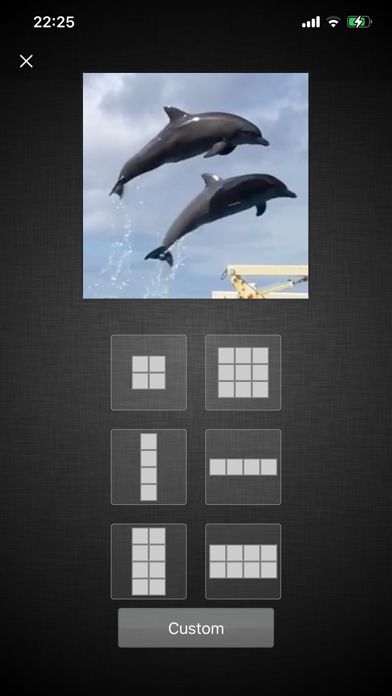
If you want to capture amazing moments from a video into images and share them with friends, SoSoVideo can help you.
Using it is very simple:
1. Click the "Load Video" button on the main screen, then choose a video from your gallery.
2. Select the number of frames you want to capture. You can also click "Custom" at the bottom of the screen to enter the number of frames, up to a 9x9 grid.
3. Initially, frames will be captured at equal intervals. You can adjust the time points for each frame free
More from kitamura hira
★ 3.5
8 ratingsFreeEntertainment
Released Jul 26, 2019

Cute Emoticon Keyboard
kitamura hira
★ 4.9
7 ratings$0.99Social Networking
Released Nov 5, 2014

Japanese Joinery
kitamura hira
★ 5.0
3 ratings$3.99Reference
Released Mar 20, 2017

Kaomoji Handwriting Keyboard
kitamura hira
★ 3.7
3 ratings$0.99Social Networking
Released Nov 30, 2018
★ 5.0
3 ratings$0.99Graphics & Design
Released Feb 15, 2024
★ 5.0
2 ratings$0.99Social Networking
Released Feb 22, 2011
★ 3.0
2 ratingsFreeUtilities
Released Dec 14, 2016
★ 1.0
1 ratingsFreeSocial Networking
Released Feb 26, 2011

EZGroup Free
kitamura hira
★ 1.0
1 ratingsFreeProductivity
Released Aug 1, 2012
★ 5.0
1 ratingsFreePhoto & Video
Released Nov 9, 2012

DC Copy Free
kitamura hira
★ 1.0
1 ratingsFreePhoto & Video
Released Oct 7, 2014

SoSoCamera Beauty
kitamura hira
$0.99Photo & Video
Released Apr 25, 2011