ReleasedDec 17, 2010
Last updateOct 16, 2026
Version3.3.12
Ratings11
Ratings, 7 dayscollecting
Size4 MB
Languages7
Ratings over time
Tracking started recently; the line appears after a few days of data.
Description
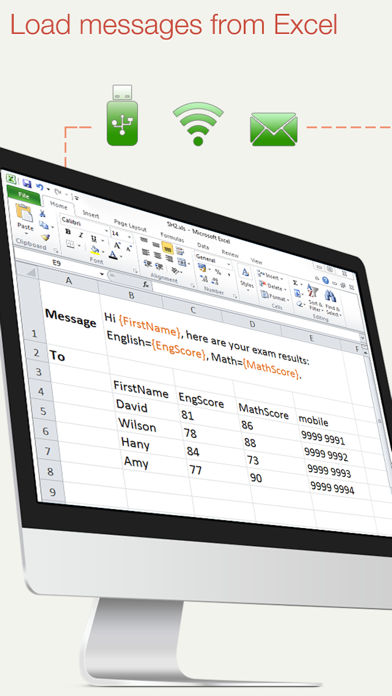
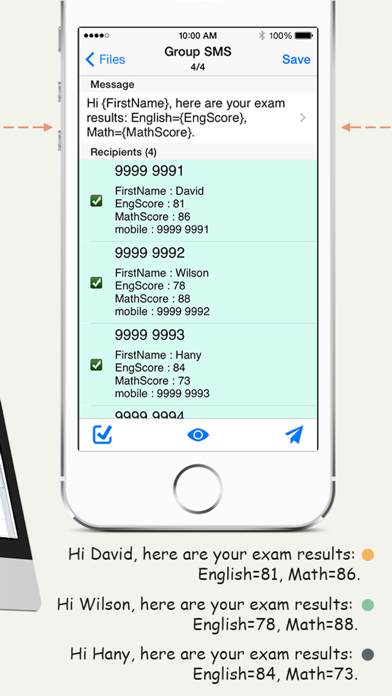
SA Group Text is the most efficient way to send group messages. You can add recipient names and phone numbers in an Excel file. You can enter static or personalized text messages right in the Excel spreadsheet. For example, if you enter “Hi {first name}, ...” in a message, the app will take the first name of the recipients and personalize the message, generating text such as “Hi David, …” , “Hi Michael, …”…
You can use an Excel spreadsheet again without editing the spreadsheet on your computer.
More from ShenZhen SamApp Technology Development Co., Ltd

SA Contacts Lite
ShenZhen SamApp Technology Development Co., Ltd
★ 4.5
133 ratingsFreeBusiness
Released Nov 2, 2010

MTestM
ShenZhen SamApp Technology Development Co., Ltd
★ 4.9
98 ratingsFreeEducation
Released Jul 24, 2015

SA Contacts
ShenZhen SamApp Technology Development Co., Ltd
★ 4.5
57 ratings$4.99Business
Released Jul 1, 2010

SA Group Text Lite
ShenZhen SamApp Technology Development Co., Ltd
★ 3.5
11 ratingsFreeProductivity
Released May 3, 2011

xCalendar Toolkit
ShenZhen SamApp Technology Development Co., Ltd
★ 3.6
5 ratingsFreeProductivity
Released Sep 7, 2012

xCalendar - Calendar in Excel
ShenZhen SamApp Technology Development Co., Ltd
★ 2.3
4 ratings$2.99Productivity
Released Aug 16, 2012

AnswerStep
ShenZhen SamApp Technology Development Co., Ltd
FreeEducation
Released May 17, 2026

Question Notes by SamApp
ShenZhen SamApp Technology Development Co., Ltd
FreeEducation
Released Jul 16, 2026