DimCamera: Black Screen Camera
CAEN Co., Ltd. · CAEN, K.K.
$1.99Photo & VideoUtilities4+
ReleasedOct 2, 2026
Last updateOct 3, 2026
Version1.0.0
Ratings0
Ratings, 7 dayscollecting
Size4 MB
Languages46
Ratings over time
Tracking started recently; the line appears after a few days of data.
Description
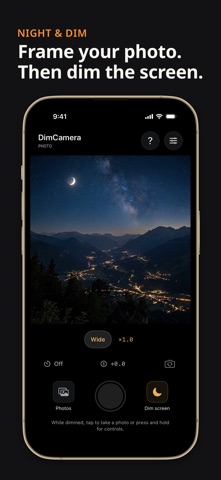
DimCamera lets you take photos with a black screen and reduced display brightness. Use it when a bright camera screen feels distracting or casts unwanted light around you.
HOW TO TAKE A PHOTO
1. Frame your shot in the preview.
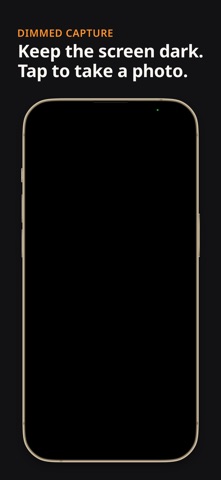
2. Tap "Dim screen" to turn the shooting screen black.
3. Tap the black screen or press and release a volume button to take a photo.
Press and hold the screen to open the dim control panel. From there, you can return to the preview.
PHOTO FEATURES
- Front and rear camer
More from CAEN Co., Ltd.

Interval Camera: Auto Capture
CAEN Co., Ltd.
★ 5.0
3 ratings$1.99Photo & Video
Released Aug 5, 2026

だいたい時計 - ゆとりのある生活のための時計
CAEN Co., Ltd.
FreeLifestyle
Released Oct 7, 2024

Mini Camera: Mono Pixel Cam
CAEN Co., Ltd.
FreePhoto & Video
Released Jun 4, 2026
$1.99Utilities
Released Jun 19, 2026

Sauna Clock - 12 Min Timer
CAEN Co., Ltd.
$1.99Utilities
Released Jun 17, 2026

ReverseClip: Video Reverser
CAEN Co., Ltd.
$2.99Photo & Video
Released Jul 27, 2026

Tapping Watch
CAEN Co., Ltd.
FreeUtilities
Released Jun 24, 2026

SwiftCatalog: SwiftUI Code
CAEN Co., Ltd.
FreeDeveloper Tools
Released Jun 17, 2026

台本リーダー:縦書きPDFを巻物のように
CAEN Co., Ltd.
FreeBooks
Released Jun 24, 2026

Symbol Catalog for Swift
CAEN Co., Ltd.
$1.99Developer Tools
Released Jun 17, 2026

JSON XML Viewer - Formatter
CAEN Co., Ltd.
$1.99Developer Tools
Released Jun 22, 2026

Invert Image - Photo Colors
CAEN Co., Ltd.
$1.99Photo & Video
Released Jun 17, 2026